

Investing in a high-quality ergonomic chair like the Herman Miller Embody is a significant step toward improving your comfort and well-being at work. Unlike standard office chairs, the Embody is engineered to support your body’s natural posture, reduce pressure, and encourage healthy movement throughout the day.

However, to unlock its full potential, you need to adjust it to fit your unique body shape and preferences. A poorly adjusted chair, no matter how advanced, can lead to discomfort and fail to provide the support you need.
This guide on how to adjust herman miller embody will walk you through the process of fine-tuning your Herman Miller Embody chair.
What Will You Need?
The best part about adjusting your Herman Miller Embody is its intuitive design. You won’t need any special tools, screws, or complicated manuals. The only thing you need is yourself and a few minutes to sit in the chair and get acquainted with its levers and knobs. All adjustments are built directly into the chair’s mechanism, making it simple to customize on the fly.
10 Easy Steps on How to Adjust Herman Miller Embody
Follow these steps to customize your chair for a perfect fit. It’s best to perform them in order while you are sitting in the chair.
Step 1: Adjust Your Seat Height
The first and most crucial adjustment is the seat height. Your goal is to have your feet flat on the floor with your knees at a 90-degree angle, or slightly lower than your hips. To adjust the height, locate the joystick-like lever on the right side of the chair. While seated, pull this lever up.

If you need to raise the chair, lift some of your weight off the seat. To lower it, remain seated as you hold the lever up. Release the lever once you’ve found the correct height where your thighs are parallel to the floor.
Step 2: Set the Seat Depth
Proper seat depth ensures your back is fully supported by the chair’s backrest while allowing for good circulation in your legs. You should have a gap of about two to three fingers’ width between the front edge of the seat and the back of your knees.
To adjust this, find the handles on the front corners of the seat. While seated, pull both handles up simultaneously and slide the seat forward or backward until you achieve the ideal spacing. Release the handles to lock the seat in place.

Step 3: Engage the Tilt Limiter
The tilt limiter controls how far back your chair can recline. This feature is great for switching between focused work and more relaxed postures. The rear knob on the right side of the chair controls this function. To set the range of recline, lean back to your desired position and then turn the knob forward (clockwise) to lock it.
You can set multiple stopping points. To allow for a full recline, simply turn the knob all the way backward (counter-clockwise).
Step 4: Fine-Tune the Tilt Tension
Tilt tension determines the amount of force required to recline the chair. It should be set so you can recline smoothly without feeling like you’re being pushed forward or having to exert excessive effort. The long stem knob on the right side, located in front of the tilt limiter, controls this.

Turn the knob clockwise to increase the tension for more resistance, or counter-clockwise to decrease it for a looser feel. Adjust it until you can recline comfortably while still feeling supported.
Step 5: Adjust the BackFit™ Support
This is one of Embody’s signature features. The BackFit adjustment conforms the backrest to the natural curve of your spine. Locate the knob on the rear right side of the chair. While sitting upright, turn this knob clockwise.
You will feel the backrest curve inward to meet your spine, particularly in the lumbar region. The goal is to feel even support along your entire back without any pressure points. Avoid over-tightening; it should feel natural and supportive, not forceful.
Step 6: Set the Armrest Height
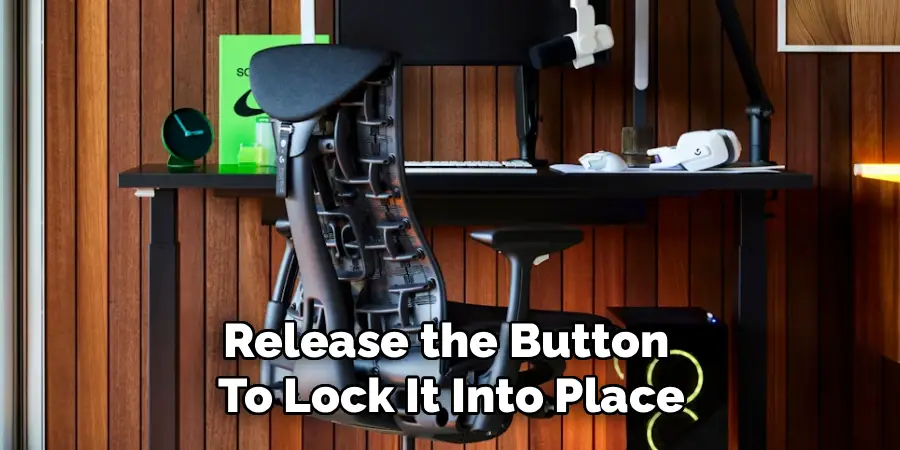
Your armrests should be positioned to support your arms without causing your shoulders to shrug. Ideally, your elbows should rest at a comfortable 90-degree angle. Press the button located on the underside of each armrest to raise or lower it.
Release the button to lock it into place. Your shoulders should remain relaxed when your forearms are resting on the pads.
Step 7: Adjust the Armrest Width
In addition to height, the Embody’s armrests can be adjusted for width. This ensures they are positioned directly under your elbows, neither too far out nor too close to your body. To adjust the width, simply grasp the armrests and gently slide them inward or outward. They glide smoothly into three different positions, allowing you to find a setting that aligns with your shoulder width and provides optimal support.
Step 8: Familiarize Yourself with the Recline Motion
The Embody chair is designed to move with you. Take a moment to recline and feel how the backrest and seat work together. The unique pixelated support system is meant to distribute your weight evenly and encourage micro-movements. Lean back, shift your weight from side to side, and notice how the chair adapts. This dynamic support is key to its ergonomic benefits.
Step 9: Test Your Setup with Your Desk
Once you have the chair adjusted, pull it up to your desk. Your armrests should be level with your desk surface, allowing for a seamless transition from the chair to your keyboard and mouse. If they are not, you may need to readjust the armrest height or even your desk height. Ensure you can comfortably reach everything you need without straining or leaning forward.
Step 10: Make Micro-Adjustments Over Time
Your initial setup is a great starting point, but don’t be afraid to make small changes over the first few days or weeks. As you use the chair, you might notice areas where a minor tweak could improve comfort. Listen to your body. A slight change in the BackFit tension or seat depth can make a world of difference. The Embody is designed for personalization, so continue to refine your settings until it feels perfect.
By following these steps, you can ensure that your Embody chair is set up correctly and optimized for your body.
5 Things You Should Avoid
To get the most out of your chair, avoid these common mistakes:
- Setting the Seat Too High: This lifts your feet off the ground, putting pressure on the back of your thighs and restricting blood flow.
- Ignoring the BackFit Adjustment: Leaving the backrest flat fails to provide crucial lumbar support, which can lead to lower back pain.
- Over-tightening the Tilt Tension: Making it too hard to recline discourages movement and can lead to a static, stiff posture.
- Positioning Armrests Incorrectly: Setting them too high causes shoulder tension, while setting them too low offers no support.
- Forgetting to Adjust the Seat Depth: If the seat is too deep, it can press against your calves; if it’s too shallow, your thighs will lack support.
By avoiding these common mistakes and taking the time to properly adjust your office chair, you can significantly improve your posture and overall comfort while working.
Frequently Asked Questions
How Do I Know if My Embody Chair is Adjusted Correctly?
You should feel balanced support along your spine and thighs, with your feet flat on the floor. Your posture should be upright but relaxed, with no pressure on your back, shoulders, or legs. Listen to your body—minor tweaks can help ensure long-term comfort.
What Should I Do if the Chair Feels Too Firm or Stiff?
Try loosening the tilt tension knob and adjusting the BackFit support for better flexibility. Make sure your seat depth is correct and that the recline isn’t restricted. Fine-tuning these features should make the chair feel more adaptive and comfortable.
Can the Armrests Be Removed or Replaced?
The Embody’s armrests are integrated into the chair’s design and aren’t built for easy removal or replacement. While you can adjust their height and width, removal is not recommended by Herman Miller and could compromise the chair’s stability or warranty.
Is the Embody Chair Suitable for All Desk Heights?
The chair’s adjustable seat height and armrests make it compatible with most standard desks. For non-standard desk heights, using a height-adjustable desk or keyboard tray can help maintain proper ergonomics and comfort.
How Often Should I Revisit My Chair Adjustments?
Recheck your settings every few months or whenever you experience discomfort. Small changes in posture or workflow may call for minor adjustment. Regular reviews help you maintain optimal support as your needs evolve.
Conclusion
Properly adjusting your Herman Miller Embody chair is an investment in your health, comfort, and productivity.
By following these steps on how to adjust herman miller embody, you transform a piece of office furniture into a personalized ergonomic solution that supports you through every task. Taking the time to fine-tune the seat height, depth, back support, and armrests ensures you receive the full benefit of its sophisticated design.
A well-adjusted chair not only reduces physical strain but also helps you stay focused and energized throughout your workday. Enjoy the comfort you deserve.
