

Chances are, if you’re reading this, you’re about to step into a vital role at an academic, industry, or professional conference: session chair. Whether your invitation was a pleasant surprise or an expected part of your journey, understanding how to chair a session in a conference is essential for ensuring a meaningful experience for both speakers and the audience.

It goes well beyond simply announcing names or keeping time. A strong session chair acts as facilitator, timekeeper, host, and even trouble-shooter. You set the tone, lay the groundwork for lively discussion, and ensure everything runs smoothly.
This comprehensive guide is designed for both first-time chairs and seasoned academics seeking to polish their skills. By the end, you’ll have actionable strategies and real-world tips to make your session—and the conference overall—a memorable success.
Before the Conference: Your Preparation Checklist
Connecting With Speakers Early
Preparation begins long before you enter the conference room. A proactive chair reaches out to each scheduled presenter ahead of the event. Confirm attendance, request the latest title of their presentation, and ask for a concise bio—this lets you introduce them accurately and with respect.
It’s also a good idea to clarify the preferred pronunciation of their name, which builds rapport and avoids awkward moments. Some chairs even ask each speaker for one fun or impressive fact to personalize introductions.
Reviewing Presentation Materials
A successful session starts with the chair being familiar with what will be presented. Read each speaker’s abstract or, if possible, their full paper. This not only prepares you to introduce the talks, but also allows you to spot links, contradictions, or themes between presentations.
Such insights can help you lead a richer discussion during the Q&A and allow you to step in confidently if a session goes off track.
Mastering Logistics
It’s easy to overlook, but logistical awareness can mean the difference between seamless professionalism and last-minute chaos. Triple-check the schedule: the session’s start time, duration, virtual or in-person format, and exact location. If the session is hybrid, determine in advance who to contact for technical support.
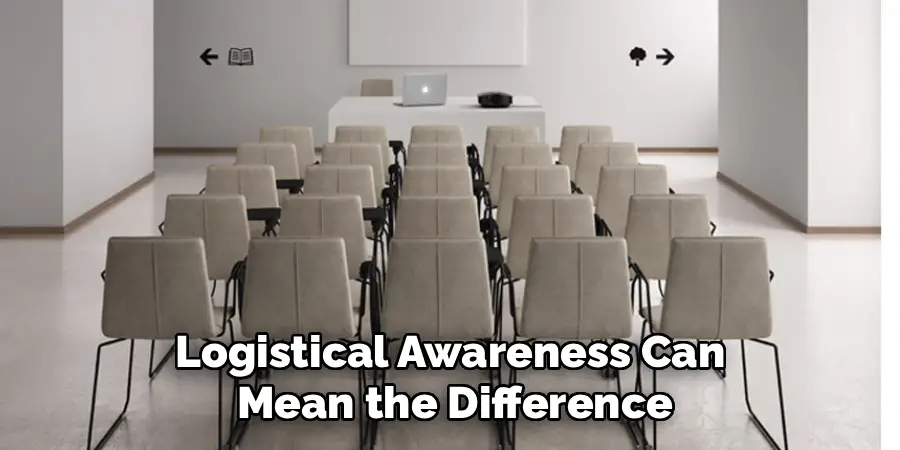
Learn how questions will be handled (from the floor, via chat, or using microphones) and clarify if there are special requirements, like translation services or accessibility arrangements.
Familiarize yourself with the room’s setup and whether you’ll need to handle basic tech, like changing slides or starting a video feed. Attending a brief organizer orientation or walk-through is highly recommended.
Building Your “Run-of-Show”: The Chair’s Master Plan
Mapping Out the Session Timeline
Your session will benefit from a clear, written plan—a “run-of-show.” Start by listing the session’s main parts: welcome and introduction, each speaker’s presentation slot, Q&A segments, and final remarks. Assign precise times to each item based on the conference schedule, accounting for quick transitions between speakers.
For example, include a minute for each introduction and at least a couple of minutes per transition.
Preparing Your Script
Rather than reading from the program, prepare a brief, engaging script for your opening and closing remarks. Include details such as the session’s objectives, the relevance of the topic, and any conference-wide themes. Indicate your cue points: when to introduce each speaker, when to transition into Q&A, and how to close the session.
During the event, this document acts as your anchor, keeping you calm and on track.
Integrating Flexibility
While structure is critical, flexibility matters too. Sometimes, a technical issue or an energetic discussion will alter your timeline. Build a small buffer if possible, and make a note of “must cover” elements versus things that could be shortened if you run late. Convey this preparedness by sharing a broad schedule overview with your speakers ahead of time.
Mastering Time Management: The Chair’s Most Important Job
Using Tools and Techniques
Perhaps your most visible job as session chair is to keep everything on schedule. Arrive early and bring your own timer—don’t rely on your phone if it’s also serving as a backup to your presentation file.
Professional chairs often use color-coded cards to quietly signal speakers about their remaining time. Discuss these signals with each presenter before the session starts so nobody is surprised.
Managing Speakers’ Time
Set the expectation that timing will be enforced for everyone, regardless of seniority. If possible, agree on a polite signal (perhaps standing or moving toward the podium).
Make it clear that, while you value every contribution, fairness to all participants—including the audience—requires respecting the schedule. Practice neutral, friendly phrases such as, “Let’s move to the next speaker so we can hear from everyone today.”
You as the Timekeeper
If the Q&A morphs into a lively debate or a single speaker begins to overrun, gently but firmly interject. Phrases like, “This is a fascinating point, but let’s continue the conversation during the break so we have time for all scheduled speakers,” help keep things moving without alienating anyone.
By modeling professional courtesy and time discipline, you build goodwill and keep the session productive.
How to Chair a Session in a Conference: Opening the Session
Setting a Welcoming Tone
As the session begins, your words and demeanor shape the atmosphere. Welcome everyone warmly. Briefly introduce the session theme and its relevance within the context of the broader event. An enthusiastic yet calm introduction helps settle nerves—not only yours, but those of your speakers and attendees.
Handling Logistics and Housekeeping
Next, address basic housekeeping: remind the audience to silence their devices, explain when and how questions should be asked (e.g., after each talk or collectively at the end), and mention any interactive tools such as apps or hashtags. Be clear about session logistics, but keep announcements concise and friendly.
Introducing the First Speaker
Use each speaker’s bio to provide context, ensuring you pronounce their name correctly and highlight their expertise. Avoid reading their full CV; instead, distill a detail or two that links their background to the session’s subject. This professional courtesy sets a welcoming tone and helps put the speaker at ease.
Facilitating an Inclusive and Productive Q&A
Encouraging Engagement
The energy of the Q&A can make or break a session. Open with a positive invitation: “We’re eager to hear your thoughts. Who’d like to open our discussion?” If the audience is hesitant, have a “seed question” prepared—perhaps pulled from the papers you reviewed in advance. Sometimes, sharing your own curiosity catalyzes others’ questions.
Fostering Equity and Inclusion
Aim to ensure that a variety of voices are heard. Make eye contact with different sections of the audience and, if appropriate, actively reach out: “Let’s hear from someone we haven’t heard yet.” Pay attention to who’s raising hands—both seasoned and first-time participants deserve respect.
Politely redirect those who try to dominate, saying, “Let’s make sure we have time for a few more perspectives.”
Navigating Complex or Off-Topic Questions
Repeat questions for clarity and for those joining virtually. If a question is unclear or excessively long, summarize the key point before passing it to the speaker. For off-topic, confrontational, or inappropriate questions, respond with, “Thank you for your perspective.
For the sake of time, let’s move to the next question.” Always stay calm and gracious; your attitude will guide the tone of the entire session.
Navigating Challenges: From Tech Glitches to Difficult Speakers
Preparing for the Unexpected
No matter how thorough your planning, some hiccups are inevitable. Establish in advance how to contact A/V support or tech help; keep that information handy.
Managing Technical Difficulties
If a presentation stalls due to projector or network issues, calmly reassure the audience and speakers. Use this pause to recap previous talks, invite a brief audience discussion, or preview upcoming presentations. Remain poised—your calm reaction will keep others relaxed as well.
Handling Overrunning or Unprepared Speakers
Should a presenter run over their allocated time (despite your pre-agreed cues), be firm but diplomatic. Try phrases like, “To keep us on schedule, I’ll need to stop you there.” If someone arrives unprepared or without their materials, improvise a short introduction and invite open audience questions to fill the gap.
Responding to Disruptions
From unexpected audience arrivals mid-session to distracting device noises, a quick, friendly intervention works best. Politely remind the room of ground rules as needed. Keep your tone light but confident; the aim is to maintain flow without creating tension.
Engaging the Audience Beyond the Q&A
Keeping the Room Involved
It’s not just the formal Q&A that matters. Throughout the session, use quick strategies to keep the audience alert and invested. Consider posing a thought-provoking question between speakers, summarizing the key link between two talks, or briefly sharing how the session’s topic relates to larger conference themes.
If the technology is available and appropriate, a quick show of hands or instant poll can spark participation and discussion.
Building Bridges Between Presentations
As you move from one presentation to the next, highlight an idea or connection, reinforcing how each speaker’s contribution fits the greater whole. This not only helps the audience grasp the session’s value but also elevates the status of each presenter.
Closing the Session and Smooth Transitions
Wrapping Up With Impact
Near the end, provide a concise summary of the session’s major themes or discoveries. Thank each speaker warmly, using their names and referencing their main points. Express gratitude to the audience for their questions and energy. If designated, make any final announcements: reminders about upcoming sessions, networking events, or location changes.
Managing Transitions
Guide attendees smoothly to what’s next—a lunch break, another session, or a poster walk. Give clear, confident cues about where to go and when to return if applicable. A seamless ending boosts positive perceptions of your session and the conference overall.
Post-Session Follow-Up: The Final Touch
Thanking and Debriefing
Your duties as chair extend beyond the room. Promptly email each speaker to express thanks, referencing a specific highlight from their talk. If organizers solicit feedback on the session’s logistics or content, reply constructively—your insight can improve future events for everyone involved.
Nurturing Professional Relationships
A thoughtful follow-up cements your professional reputation and encourages valuable industry or academic networking in the future. These small gestures—personalized messages, sharing contact details if appropriate—build lasting connections.
Conclusion
Chairing a session may seem daunting at first, but mastery comes through preparation, time management, and a commitment to fostering a welcoming, inclusive environment.
Remember that knowing how to chair a session in a conference is more than controlling the mic—it’s about balancing structure and flexibility, spotlighting diverse voices, and steering tough situations with grace. By following the practical strategies in this guide, you are well-equipped to help speakers shine and audiences engage.
Your leadership ensures that every session—regardless of its scale or discipline—makes a memorable, positive contribution to the conference experience.
