

Adjust your chair so your feet sit flat on the floor, raise your monitor to eye level, and take short movement breaks every hour. Pairing those workspace changes with regular core strengthening and periodic posture check-ins will help your spine hold its natural curve through even the longest workdays.
Most people don’t notice the slouch creeping in. It happens somewhere around mid-afternoon, when the to-do list is still long and the energy is not. Your chin drifts forward. Your shoulders round. By the time you feel the ache in your lower back, the damage to your muscles for that day is already done.
The good news is that poor desk posture is almost entirely fixable. It doesn’t require expensive equipment or a complete workspace overhaul — though a few targeted adjustments help considerably. What it does require is understanding why your body defaults to that hunched position in the first place, and then systematically removing the conditions that cause it. This article on how to stop slouching at your office desk walks through exactly that, step by step.

Why Slouching Happens — and What It Does to Your Body?
Your spine isn’t designed to be straight. It has a gentle S-curve — a natural inward arch in the lower back, a slight outward curve in the upper back — and that curve needs to be maintained, not flattened. Standard office setups tend to work against this. Screens sit too low, chairs offer little lower-back support, and keyboards get pushed too far back on the desk. Over hours, the body takes the path of least muscular resistance and collapses into that familiar C-shape.
When that happens, the muscles along your neck and upper back are essentially doing overtime. They weren’t built to hold a forward-hanging head indefinitely. Breathing can become slightly shallower. Circulation to the lower limbs slows. And fatigue sets in earlier than it should — not because the work is hard, but because your body is quietly fighting its own seating arrangement.
Getting the setup right matters. So does building the physical capacity to maintain it.
8 Steps on How to Stop Slouching at Your Office Desk
Step 1: Set Your Chair Height Before Anything Else
This is where posture work begins, because everything else — monitor height, keyboard distance, back support — depends on how your lower body is positioned first. Your feet should rest flat on the floor with your knees bent at roughly a 90-degree angle. Not hovering. Not stretched out. Flat.
If your desk is on the taller side and your feet can’t quite reach the floor, a footrest is a simple fix that most people overlook. Dangling legs pull the pelvis into a forward tilt, which then forces the upper spine to round outward to compensate. A stable base makes sitting upright feel natural rather than effortful.

Step 2: Raise Your Monitor to Eye Level
A monitor that sits too low is one of the single most common causes of neck and upper back tension in office workers. The head weighs somewhere in the range of ten to twelve pounds — and looking down even slightly means the muscles at the back of your neck are holding significantly more load than they would at a neutral position.
The fix is straightforward: raise your screen so that the top third sits at your natural eye level when you’re sitting upright. A monitor arm works well for this. So does a dedicated stand, or even a few hardcover books stacked underneath the screen. When you can read your screen without dropping your chin, your cervical spine tends to fall into alignment with the rest of your back almost automatically.
Step 3: Move Your Keyboard and Mouse Closer
Reaching forward to type — even by just a few inches more than necessary — gradually pulls the shoulders forward and rounds the upper back. Your keyboard and mouse should sit close enough to the desk’s edge that your elbows stay bent at around 90 degrees, resting comfortably at your sides. Your forearms should be roughly parallel to the floor.
The moment you have to extend your arms to work, the shoulders begin to migrate forward. Bringing your input devices closer is a small change that makes a noticeable difference in how your upper back feels by the end of the day.

Step 4: Add Lumbar Support to Your Chair
The inward curve of the lower back — the lumbar lordosis — needs something to lean against, or the core muscles will eventually give out and let the spine collapse backward into that characteristic slouch. A well-adjusted ergonomic chair should press gently into the arch of your lower back, not the middle of your back or your tailbone.
If your chair doesn’t have adequate lumbar support built in, a rolled towel wedged into the small of your back works surprisingly well as a short-term measure. A purpose-made lumbar cushion is a worthwhile investment if you’re sitting for six or more hours a day. The idea is to make good posture the default — something your body settles into rather than something you have to consciously force.
Step 5: Set Hourly Reminders to Move and Check In
Even a well-configured workspace can’t override the fact that static sitting — staying completely still in one position for extended periods — leads to muscle fatigue. The muscles that hold you upright were designed for movement, not prolonged isometric holding.
Setting a timer for every 60 minutes creates a prompt to do two things: first, scan your posture and reset if you’ve drifted; second, stand up and move briefly. A short walk to refill a water glass, a gentle overhead stretch, or even just standing for two minutes is enough to reset blood flow and ease muscular tension. Short, frequent breaks tend to be more effective than saving it all for a single longer one.
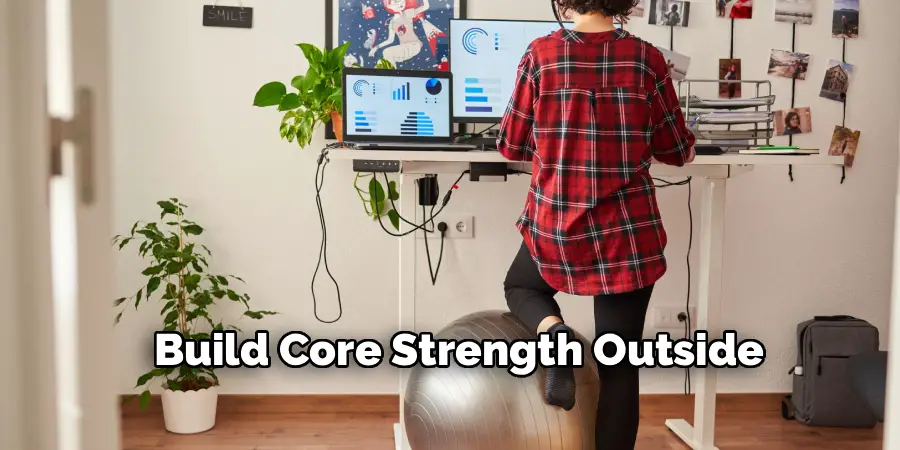
Step 6: Build Core Strength Outside of Work Hours
This step often gets left out of posture guides, which is a significant oversight. Your abdominal and spinal erector muscles function like an internal support structure for the upper body. When they’re underdeveloped or fatigued, holding an upright seated position requires conscious effort — and at some point during a long workday, that effort flags.
Exercises like planks, bird-dogs, and glute bridges build the kind of low-level endurance that makes good posture feel automatic rather than forced. You won’t see results overnight. But over the course of a few weeks of consistent training, sitting up straight becomes noticeably less tiring. That change makes a meaningful difference across an entire workweek.
Step 7: Use the 20-20-20 Rule to Manage Eye Strain
Visual fatigue has a closer relationship with posture than most people realize. As your eyes tire, you tend to lean toward the screen — gradually, almost imperceptibly — which initiates the familiar forward head and rounded shoulder pattern. The 20-20-20 rule is a useful circuit breaker: every 20 minutes, look at something approximately 20 feet away for 20 seconds.
This relaxes the focusing muscles in the eye and reduces the tendency to squint and lean in. When your eyes feel comfortable at your current distance from the screen, you’re far more likely to stay back in your chair and use your backrest the way it was intended.
Step 8: Organize Your Desk to Minimize Reaching and Twisting
Frequent overreaching — for a phone, a notebook, a coffee mug — adds up to a surprising amount of spinal disruption over the course of a day. Each reach pulls you briefly out of a supported position, and if the item is far enough away, you’re rotating and extending your torso repeatedly. Your primary work zone should require only your forearms to extend, not your whole upper body.
Keeping frequently used items within a comfortable half-arm’s reach eliminates this pattern and, as a secondary benefit, tends to reduce general desk clutter, which appears to have some bearing on mental focus as well.
Following these steps on how to stop slouching at your office desk will not only improve your posture and alleviate back pain but also boost productivity and overall well-being.
Common Mistakes Worth Knowing About

Forcing your shoulders back into an exaggerated military posture is perhaps the most prevalent error people make when they decide to “fix” their posture. It creates tension rather than relieving it and is impossible to sustain.
Another frequent mistake is purchasing an ergonomic chair and then never adjusting it — seat depth, armrest height, and lumbar position all matter, and the factory defaults rarely suit any individual body well. Crossing the legs while sitting is also worth avoiding; it tilts the pelvis asymmetrically and tends to undo whatever ergonomic work you’ve done elsewhere.
Frequently Asked Questions
Q1: What Type of Chair Works Best for Preventing Slouching?
Look for a chair with adjustable lumbar support, seat depth, and armrest height. The brand matters less than the adjustability. A chair that can be configured to your specific proportions and desk height will serve you far better than an expensive one that ships with fixed settings.
Q2: How Often Should I Take Posture Breaks?
Every 30 to 60 minutes is a reasonable target. Standing up, rolling the shoulders back, and doing a quick chest stretch counteracts the forward-leaning mechanics of desk work effectively. Brief, repeated movement breaks tend to outperform a single longer midday break.
Q3: Will a Standing Desk Solve My Posture Problems?
A standing desk can take pressure off the lower back, but it won’t correct posture on its own — particularly if you tend to slouch while standing too. Monitor height and keyboard position still apply. Alternating between sitting and standing throughout the day seems to produce better outcomes than committing fully to either position alone.
Start Small, Build From There
Correcting desk posture isn’t a single intervention — it’s a series of small calibrations that compound over time. Start with chair height and monitor position, since those two adjustments address the most common structural causes of slouching. Add lumbar support and move your keyboard closer. Then layer in the movement habits and core work.
None of this needs to happen at once. Pick one or two changes today, let them become habitual, and build from there. Your spine will register the difference before long — and so will your energy levels by the end of the day. Thanks for reading this guide on how to stop slouching at your office desk.
