
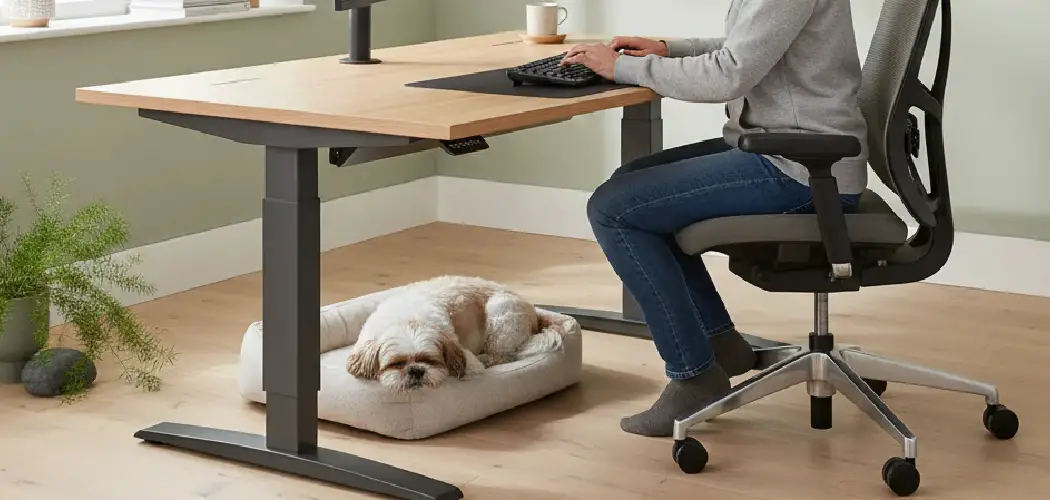
Adjustable desks have become increasingly popular in homes and offices, offering flexibility and ergonomic benefits. However, like any mechanical device, they can develop issues that require troubleshooting and repair to restore optimal function. Whether your desk is stuck at one height, making strange noises, or won’t move at all, addressing the problem quickly can help you avoid interruptions to your productivity and prevent further damage.
Understanding the common problems and their solutions empowers you to tackle simple repairs with confidence. This comprehensive guide will walk you through seven detailed, step-by-step instructions to help you diagnose and resolve the most common adjustable desk issues. By following these guidelines on how to fix adjustable desk, you can ensure that your desk remains reliable, safe, and comfortable for daily use.
7 Simple Step-By-Step Guidelines on How to Fix Adjustable Desk
Step 1: Identify the Problem
Before diving into repairs, start by carefully observing your desk’s behavior. Is the desk making unusual noises when moving, refusing to move altogether, or stuck at one height? Take note of any error codes or flashing lights on the control panel, as these can indicate specific malfunctions.
Understanding the exact nature of the issue will help you select the appropriate solution. Sometimes, the issue may be as simple as a power connection problem or as complex as a motor malfunction. Document the symptoms for easy reference as you continue the troubleshooting process.
Step 2: Check the Power Source
If your desk is unresponsive, inspect the power supply first. Ensure that the power cord is securely plugged into both the wall outlet and your desk’s power port. Test the outlet by plugging in another device to rule out electrical issues.

Verify that any power strips or surge protectors connected to the desk are switched on and functioning. Loose connections are a common cause of adjustable desk problems and can often be resolved without tools or professional help. Addressing the power source early can sometimes resolve the issue instantly.
Step 3: Reset the Desk
Many desks come with a built-in reset function to correct synchronization and calibration problems. To perform a reset, refer to your desk’s manual for specific instructions—this usually involves pressing and holding the “down” button for a certain period, often until the desk lowers to its lowest position and slightly bounces back.
A successful reset can eliminate minor glitches related to memory settings or electronic miscommunication. If the desk starts operating normally after resetting, it was likely a temporary software hiccup. If not, additional troubleshooting will be needed.
Step 4: Inspect for Obstructions and Misalignment
Sometimes, foreign objects or debris can get caught in the desk’s moving parts, preventing smooth operation. Carefully look underneath and around the desk to ensure there are no blockages like cables, paper, or other items that may interfere with the mechanisms.
Additionally, make sure all components—such as legs and crossbars—appear straight and properly attached. Misalignment can cause the desk to jam or produce odd noises. Removing obstructions and ensuring correct alignment will help the desk move smoothly and quietly.
Step 5: Examine the Motor and Cables
If the desk is still malfunctioning, turn your attention to the motor and wiring. Unplug the desk before inspecting for any loose, damaged, or frayed wires. Listen for any odd sounds coming from the motor, such as grinding or clicking, which may indicate internal issues.
Check all the cable connectors for a snug fit, including those linked to the control box and motor. If you find visible damage, it may be necessary to replace the affected parts. Neglecting motor or cable issues could lead to more significant failures over time.

Step 6: Test the Control Panel
The control panel, or handset, can experience wear and tear from frequent use. Test each button on the panel to see whether the desk responds as expected. Sometimes, stuck or non-responsive buttons are due to dirt or residue buildup.
If cleaning the panel doesn’t solve the issue, try swapping it with another compatible control panel, if possible. This helps isolate the problem and determines whether the fault lies with the panel itself or another component of the desk. Control panel issues are often easier and cheaper to fix than motor problems.
Step 7: Lubricate Moving Parts and Tighten Fasteners
Friction from dry or dirty moving parts can hinder the desk’s functionality. Apply a small amount of lubricant to joints, gears, and telescoping legs, following the manufacturer’s recommendations. Avoid over-lubricating, as excess lubricant may attract dust and debris.
Simultaneously inspect and tighten all visible nuts, bolts, and screws. Loose hardware can cause shaky movements, odd noises, or improper operation. Regular maintenance in this area not only resolves immediate issues but also extends the lifespan of your adjustable desk.

Following these steps on how to fix adjustable desk issues can greatly improve the overall functionality and longevity of your desk.
Additional Tips
Regularly clean your adjustable desk to prevent dust and debris from accumulating in sensitive mechanisms. Schedule routine inspections to check connections and hardware tightness, as this preventative step guards against future problems. Always consult your desk’s user manual before attempting complex troubleshooting or repairs for important safety and warranty information.
Using surge protectors can help shield your desk’s electronics from unexpected power surges, which are a common cause of malfunctions. When buying replacement parts, always opt for manufacturer-approved components to ensure proper compatibility and performance.
Common Mistakes to Avoid
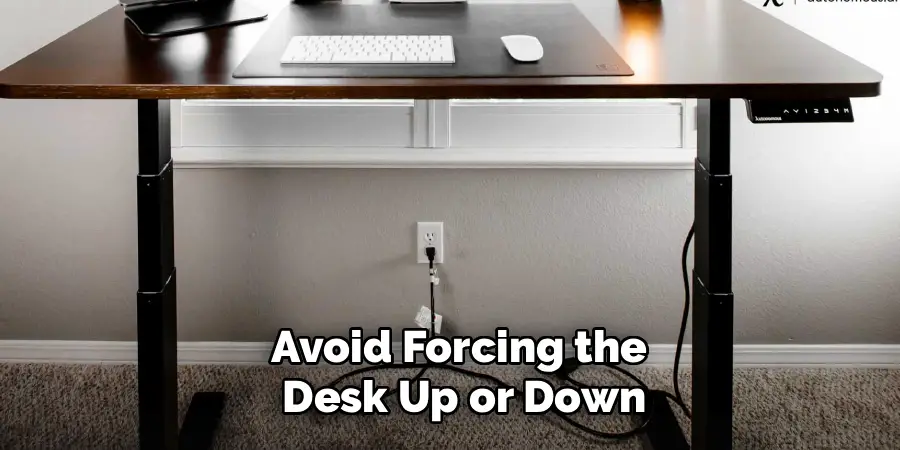
Do not attempt repairs without fully understanding the problem, as this may lead to accidental damage. Avoid forcing the desk up or down if it is stuck, since this can harm the motor or frame. Skipping the reset process is a frequent oversight; always try this before moving to more complicated solutions.
Neglecting regular cleaning and maintenance can contribute to lingering problems. Lastly, using incompatible parts or tools may void your warranty and worsen the issue.
Do You Need To Use Professionals?
While many adjustable desk problems are straightforward enough for a confident DIY enthusiast to tackle, certain complex repairs are best left to professionals. If you notice persistent electrical problems, burning smells, or find that your troubleshooting efforts do not resolve the issue, it’s wise to consult an expert. Professional repair technicians possess the specialized tools and knowledge necessary to address advanced mechanical or electronic problems safely and effectively. Attempting serious repairs without appropriate expertise may void your warranty or present a safety risk.
In some cases, your desk’s manufacturer may offer in-home repair services for free or at a reduced cost, especially if you are still under warranty. Always consider the scope of the problem and your own comfort with DIY repairs before deciding whether to involve a professional. Balancing cost with peace of mind is crucial when making this decision.
How Much Will It Cost?
The overall cost to fix an adjustable desk can vary quite a bit depending on the nature of the issue. Minor repairs, such as cable replacements or resetting the control panel, can cost as little as $10–$30 if you’re comfortable completing them yourself. Replacing major parts like motors or control panels may range from $50 to $200, depending on your desk’s brand and model.
Labor costs for professional repairs can add $75–$150 per visit, but this often includes a thorough inspection and preventive maintenance. If your desk is under warranty, many repairs could be free, minus shipping or service charges. Always get a detailed estimate beforehand to avoid unexpected expenses.
Frequently Asked Questions
Q1: Why Won’t My Adjustable Desk Move When I Press the Button?
There are several reasons your desk may not respond. Most commonly, the power source might be disconnected or there could be an issue with the control panel. Sometimes, the desk needs to be reset to resolve a software glitch. Inspect your power cord and connections, perform a manual reset as outlined in your user manual, and ensure there are no physical obstructions under or around the desk that might be hindering operation.
Q2: How Can I Prevent My Adjustable Desk From Getting Stuck?
Preventative maintenance is key to keeping your desk in smooth, working order. Regularly check for and remove any obstructions, clean the moving parts, and periodically tighten screws and bolts. Lubricate the telescoping legs as recommended by the manufacturer, and avoid exceeding the weight limit to prevent strain on the motor. Scheduling regular inspections can go a long way in preventing stuck desk issues.
Q3: What Should I Do If My Desk Makes Unusual Noises?
If your adjustable desk starts producing grinding, clicking, or squeaking sounds, start by inspecting for any visible obstructions. Dirt or lack of lubrication can be a cause—clean and apply lubricant carefully. Make sure all hardware is tight and properly aligned. Sometimes, strange noises indicate a deeper issue with the motor or lift mechanism; in such cases, consult your user manual or seek professional help to avoid further damage.
Conclusion
An adjustable desk is a valuable investment in comfort, health, and productivity, but like all furniture with moving parts, it can sometimes require troubleshooting and repair. By following these comprehensive steps and tips on how to fix adjustable desk, you can often address problems yourself with minimal tools and effort, saving time and money.
Whenever issues seem overwhelming or if the desk is still under warranty, don’t hesitate to call in the professionals for peace of mind. Maintain your desk with routine care, and you’ll keep it running smoothly and efficiently for years to come.
